

TK - Cookies - Google Consent Mode V2 and Facebook Consent
Cookie consent module for OpenCart. Visitors accept or reject cookie categories, with their choice passed to Google Consent Mode V2 and Meta.
Let visitors choose which cookies to allow.
TK - Cookies </> TKdemo
Password:
demo
What you get
- Accept or reject individual cookie categories.
- Send consent signals to Google Consent Mode V2.
- Grant and revoke Facebook Consent.
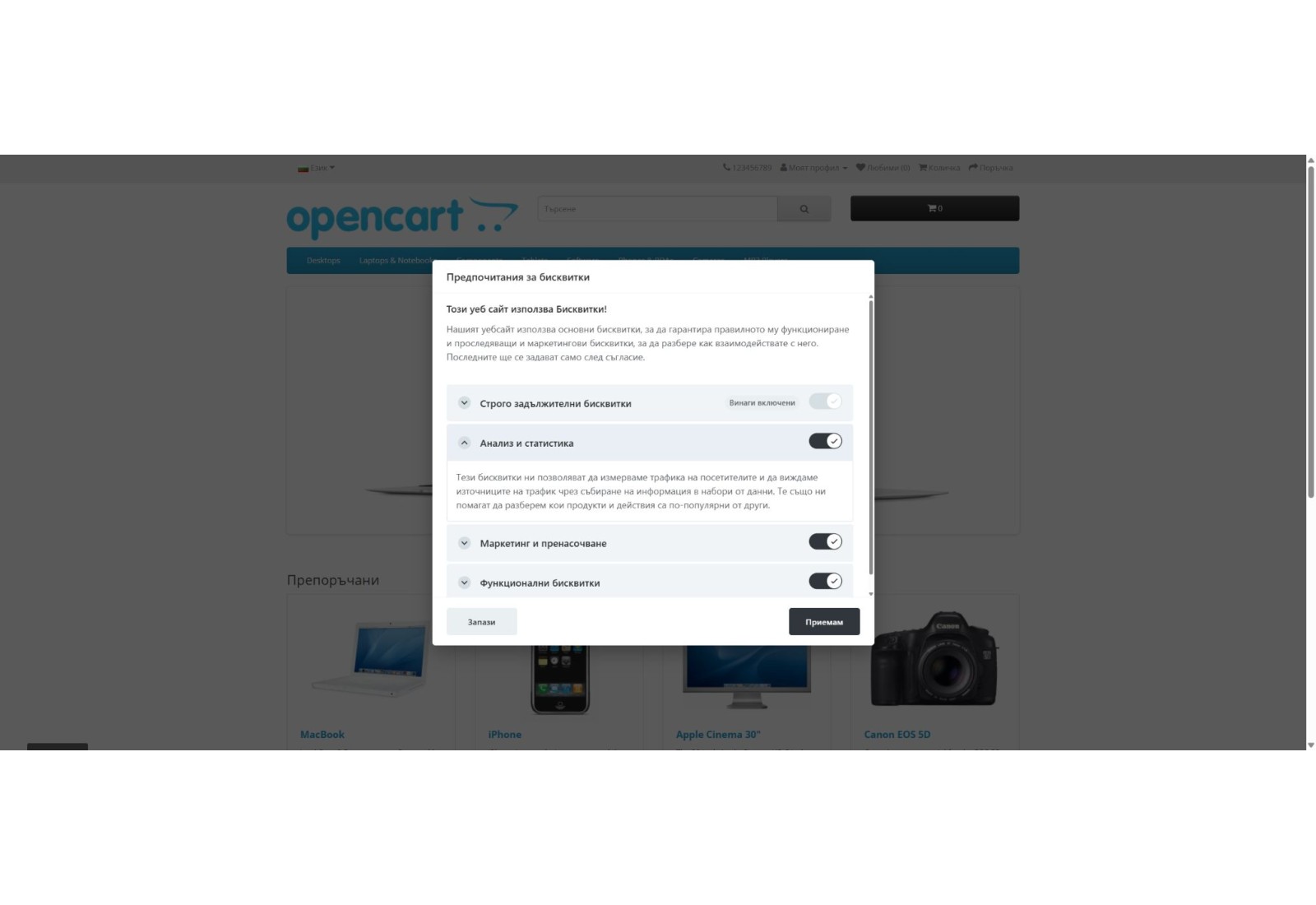
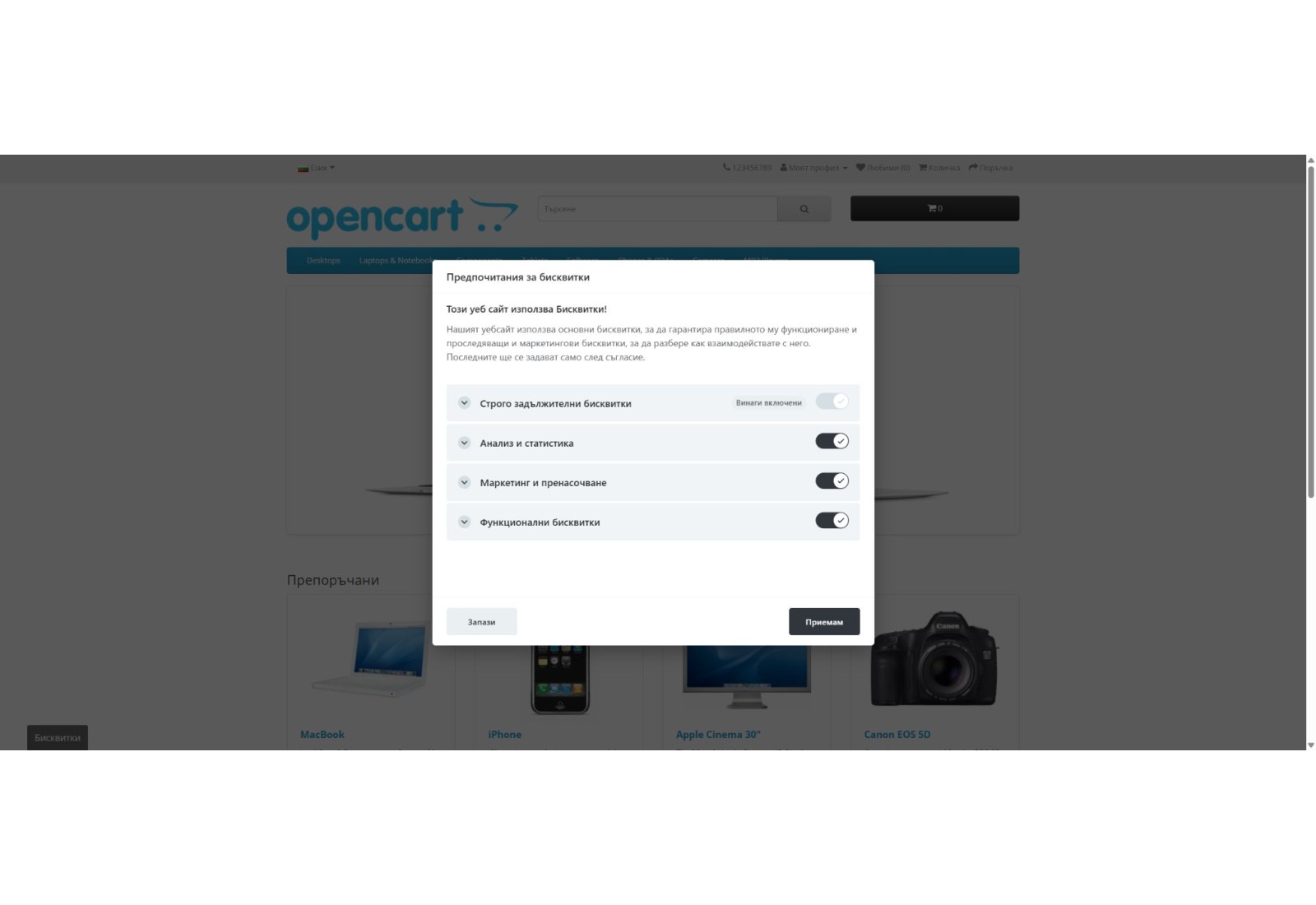
- A consent dialog directly in your store.
Suitable for
Stores using Google or Meta tracking that need to manage visitor preferences.
Before you buy
The module does not install Google Analytics, Google Ads or Meta Pixel tracking codes. These must be installed and configured separately.
Final price including VAT
Free installation and configuration included
Domain, subdomains and multistore
One licence covers the domain and all its subdomains. For a multi-store setup, purchase the extension only for the main domain; all other stores receive it free of charge.
Leave a recommendation
What this extension does
Lets visitors choose which cookies to allow and passes their choice to Google Consent Mode V2 and Facebook Consent.
What is TK - Cookies?
TK - Cookies is an OpenCart module for managing consent to analytics, advertising and functional cookies.
On the first visit, the module displays a window where visitors can accept or decline individual cookie categories. Their choice is passed to Google Consent Mode V2 and Facebook Consent.
This lets the Google and Facebook tools already installed in your store respond to each visitor's choice.
Google Consent Mode V2
Google Consent Mode V2 lets your site tell Google whether a visitor has consented to storing and using data for analytics, advertising and personalisation.
Before the visitor makes a choice, the module can set a restricted state for the relevant storage types:
gtag('consent', 'default', {
    'ad_storage': 'denied',
    'ad_personalization': 'denied',
    'ad_user_data': 'denied',
    'analytics_storage': 'denied',
    'functionality_storage': 'denied',
    'personalization_storage': 'denied',
    'security_storage': 'denied'
});
After a choice is made, these values are updated to match the categories the visitor has allowed.
Facebook Consent
The module also manages consent for Facebook Pixel. Before permission is granted, it can send:
fbq('consent', 'revoke');
Once consent is given, the status changes so the existing Facebook Pixel integration can follow the visitor's choice.
Keeps your existing tracking code
TK - Cookies does not add Google Analytics, Google Ads or Facebook Pixel code. It adds the logic needed to send and update consent for services you have already integrated.
You can keep your current tracking setup and add consent management without manually rewriting each tracking snippet.
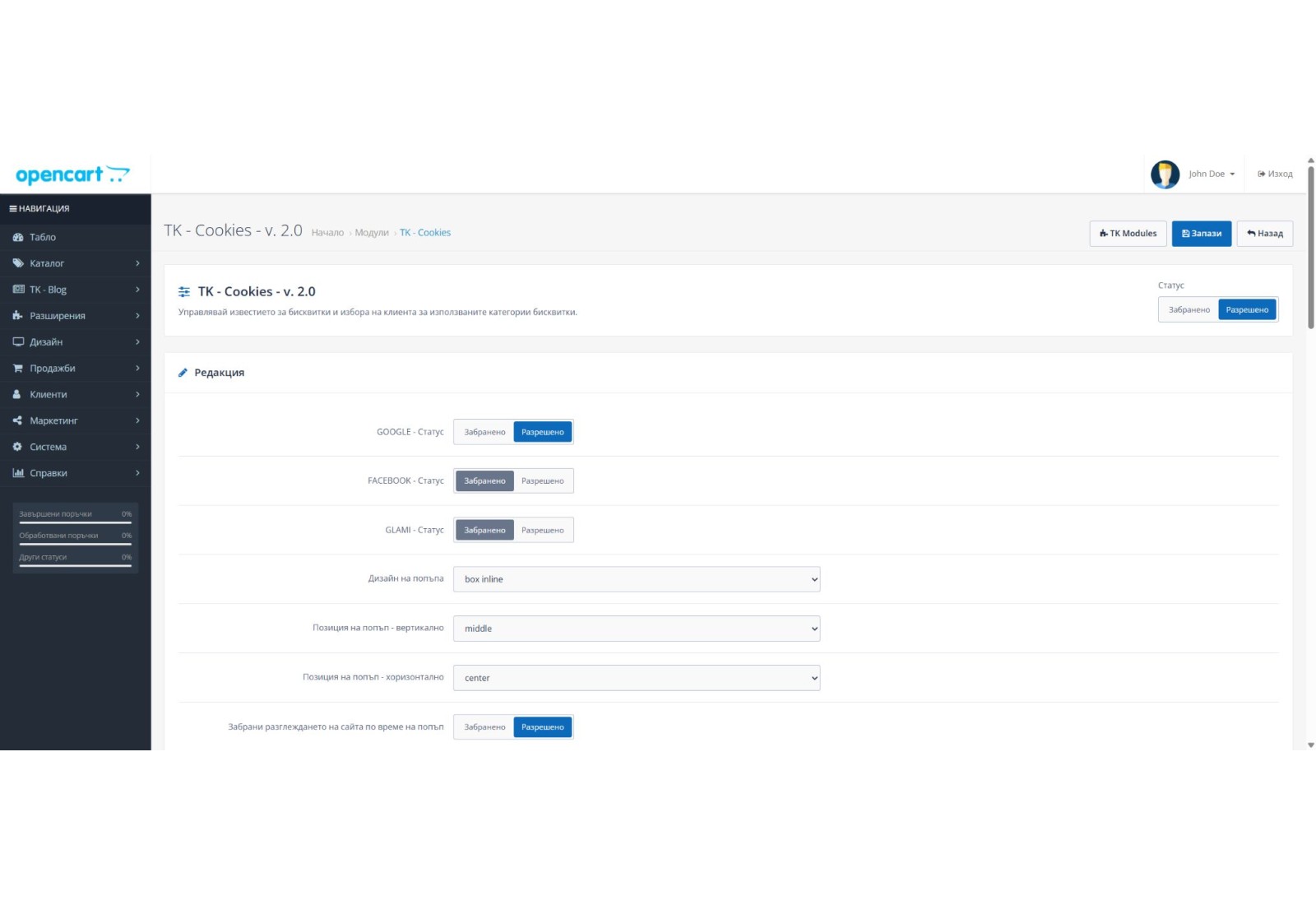
Admin panel settings
In the settings, choose:
- which cookie categories to manage;
- the consent window text;
- content for each active language;
- how Google Consent Mode V2 behaves;
- the Facebook Pixel consent settings;
- the domain on which to activate the module.
Supporting data protection
TK - Cookies helps you provide an informed choice and manage consent for tracking technologies. The legal requirements depend on the services you use, the data you collect and your store's policies.
The module is a technical tool. It is not legal advice and does not by itself guarantee full compliance with the GDPR or other applicable requirements.


Installation with TK - Modules
TK - Modules is the free installer for installing and updating my OpenCart extensions. It gives you access to the modules activated for your domain.
- Download and install TK - Modules for your OpenCart version.
- Enter your API token and click Check for modules.
- Select the module you purchased from the list and start the installation.
View TK - Modules and installation instructions
Paid modules include free installation and configuration.
User permissions
In User Groups, grant access and modify permissions for the module's new pages.
Installation and activation
In the Modules section, find TK Cookies. Install the module and open its settings.
Enter the activation token provided to you. It is checked through the API and validated for your domain.
Configuring consent
Choose the cookie categories to manage and enter the text for each active language. Check that your Google and Facebook tracking code is correctly installed in the store.
After saving, test accepting and declining individual categories in a new private browser session.
Change history
Version 2.1
- The Reject button can now be shown or hidden in the settings.
- Improved sharing of cookie choices with Google and Facebook when the corresponding integrations are enabled.
Version 2.0
- Google Consent Mode V2 support;
- consent management for Google Analytics and Google Ads;
- Facebook Consent support;
- management of separate cookie categories;
- language fields for consent window content;
- support for the listed OpenCart versions.
