

TK - Facebook CAPI Pixel - Meta Pixel and Conversions API
Meta (Facebook) Pixel and Conversions API module for OpenCart. Send events for product views, add-to-cart actions and purchases.
Meta Pixel and Conversions API for OpenCart.
TK - Facebook CAPI Pixel </> TKdemo
Password:
demo
What you get
- Browser tracking with Meta Pixel.
- Event delivery through Conversions API.
- Key actions: views, cart, checkout and purchase.
- Settings for Pixel ID, Access Token and event names.
Suitable for
Stores advertising on Facebook and Instagram that need data on in-store actions.
Before you buy
You need a Pixel ID and Access Token from your Meta account. Visitor consent settings are managed separately.
Final price including VAT
Free installation and configuration included
Domain, subdomains and multistore
One licence covers the domain and all its subdomains. For a multi-store setup, purchase the extension only for the main domain; all other stores receive it free of charge.
Leave a recommendation
What this extension does
Connects your store to Meta Pixel and Conversions API to track product views, cart additions and purchases.
Facebook Pixel and Conversions API in one module
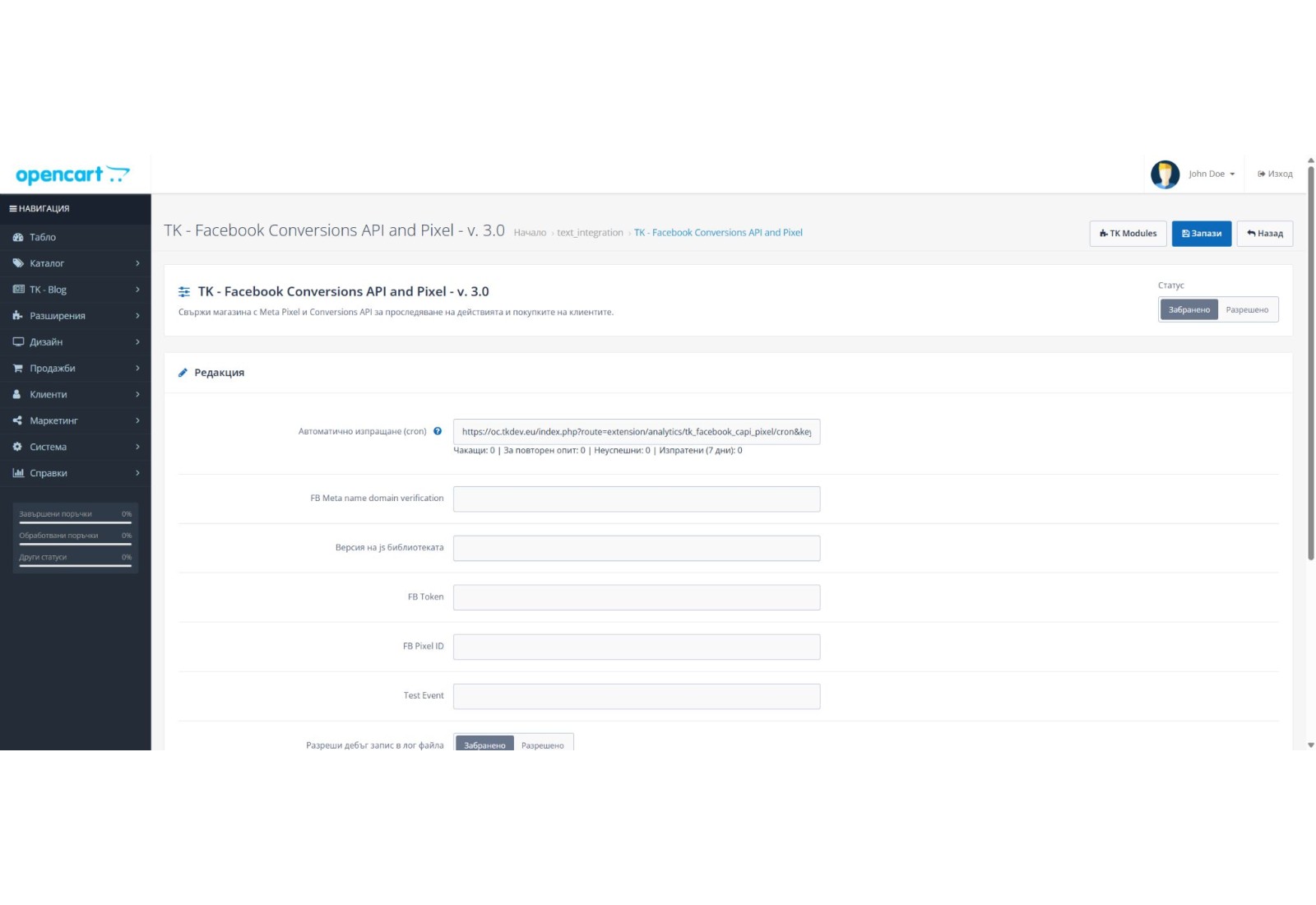
Enter your Meta connection details in the settings: Pixel ID and Access Token. Once configured, the module sends events for visitor actions in your OpenCart store.
Event names can be adjusted in the admin panel to match your Meta account configuration.
Facebook Conversions API and Facebook Pixel
Both methods track the same actions in the store:
- PageView - page view;
- ViewContent - product view;
- AddToCart - adding a product to the cart;
- AddToWishlist - adding a product to the wishlist;
- RemoveFromCart - removing a product from the cart;
- InitiateCheckout - starting checkout;
- Purchase - a successfully completed order;
- Search - using the store search;
- Login - signing in to a customer account;
- CompleteRegistration - creating a customer account;
Login and RemoveFromCart are sent as custom Meta events. Pixel and Conversions API use the same identifier for each action so Meta can deduplicate the browser and server events and avoid counting the action twice.
Better insight into advertising campaigns
Store events help you identify actions and purchases associated with your advertising campaigns. Use the data to analyse results and improve your Meta ads.
Admin panel settings
Enter your connection details, enable the tracking methods you need and configure individual event names.

Installation with TK - Modules
TK - Modules is the free installer for installing and updating my OpenCart extensions. It gives you access to the modules activated for your domain.
- Download and install TK - Modules for your OpenCart version.
- Enter your API token and click Check for modules.
- Select the module you purchased from the list and start the installation.
View TK - Modules and installation instructions
Paid modules include free installation and configuration.
User permissions
In User Groups, grant access and modify permissions for the module's new pages.
Installation and activation
In the Analytics section, find TK Facebook Conversions API and Pixel. Install the module and open its settings.
Enter the activation token provided to you. It is checked through the API and validated for your domain.
Connecting to Meta
Enter your Pixel ID and Access Token, enable the events you need and save. Then perform test actions and place a test order to check tracking.
Change history
Version 3.1
- Improved tracking of add-to-cart actions, searches and confirmed orders, including cash on delivery.
- More reliable matching of browser and server events, with retries after temporary delivery failures.
- Improved cookie consent handling and diagnostic logging.
Version 1.2
- Facebook Conversions API support;
- Facebook Pixel support;
- tracking of key ecommerce events;
- search, login and registration tracking;
- configurable event names;
- support for the listed OpenCart versions.
