

TK - Fast Order - quick orders and product enquiries
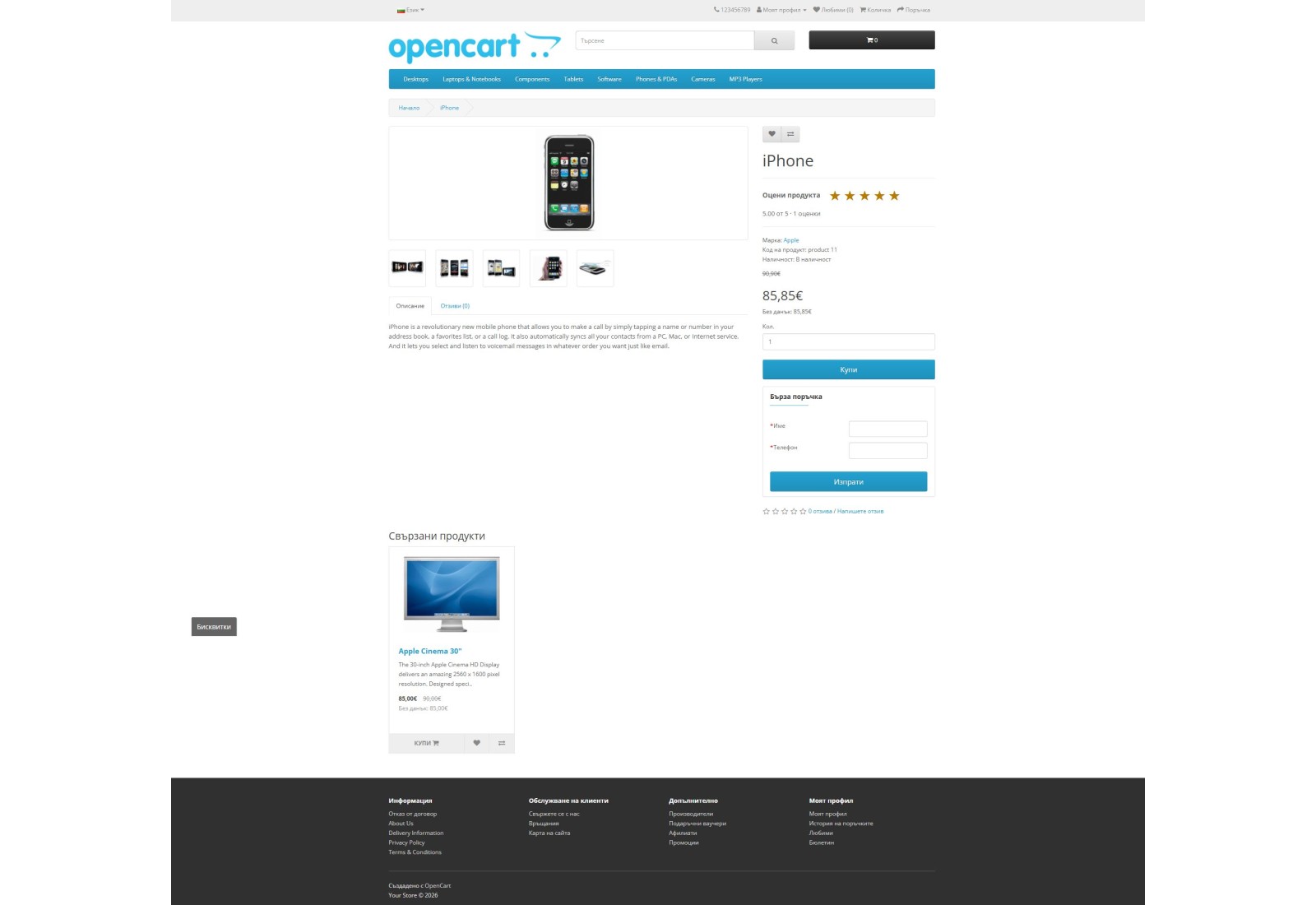
Quick order form on OpenCart product pages. Customers can order an in-stock item or send an enquiry about an out-of-stock product.
A quick order or a product enquiry.
TK - Fast Order </> TKdemo
Password:
demo
What you get
- Quick orders for available products and enquiries for unavailable items.
- An inline form or a popup.
- Two ready-made designs and custom CSS support.
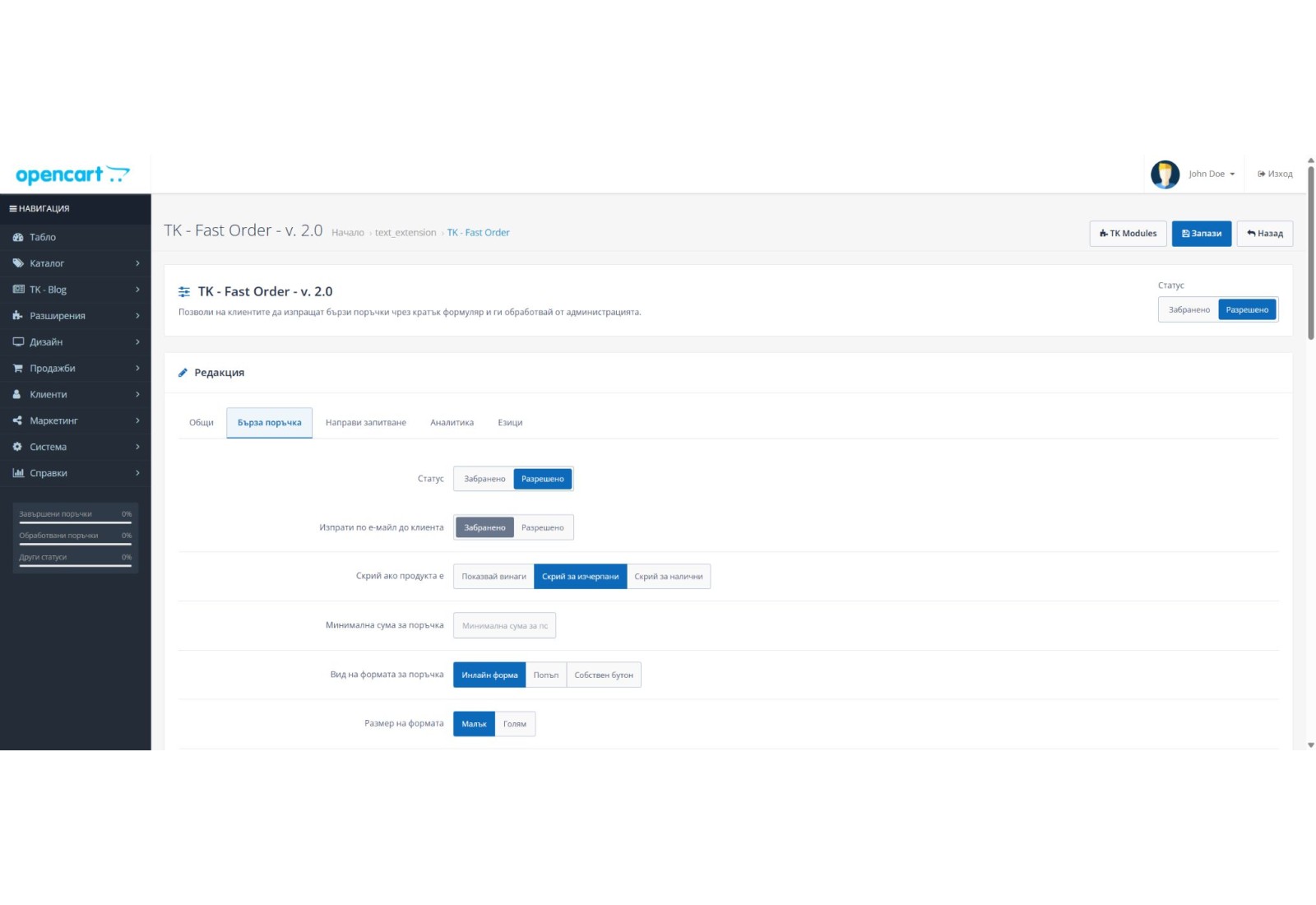
- Configurable fields, translations and required details.
Suitable for
Stores that accept short enquiries and confirm the details with the customer.
Before you buy
Choose the fields and enquiry handling process to match the way your store operates.
Final price including VAT
Free installation and configuration included
Domain, subdomains and multistore
One licence covers the domain and all its subdomains. For a multi-store setup, purchase the extension only for the main domain; all other stores receive it free of charge.
Leave a recommendation
What this extension does
A short form for ordering an in-stock product or asking about an unavailable one. Choose the fields and where the form appears.

Two functions in one module
The form changes its purpose according to product availability:
- for an in-stock product - the customer submits a quick order request;
- for an out-of-stock product - the customer sends an enquiry about that item.
The enquiry saves the product details and the information supplied by the customer, so you can contact them about expected delivery, ordering options, an alternative product or another question.
An enquiry does not create an order or enable automatic back-in-stock notifications.
Flexible design
The module includes two layouts: one uses standard Bootstrap elements, and the other follows the style of the Journal theme. A custom CSS field lets you adapt the form to your store's design.
The form can appear as a compact or larger block, depending on the available space and its position on the product page.
Popup or inline form
The quick order form can appear directly on the page or open in a popup when a button is clicked.
Use a button with standard Bootstrap classes or your own button with a chosen CSS class to open the form.
Field management
You control the form fields:
- choose which fields are visible;
- set a different label for each active language;
- make individual fields required;
- add explanatory text above the form.
Easy quick order processing
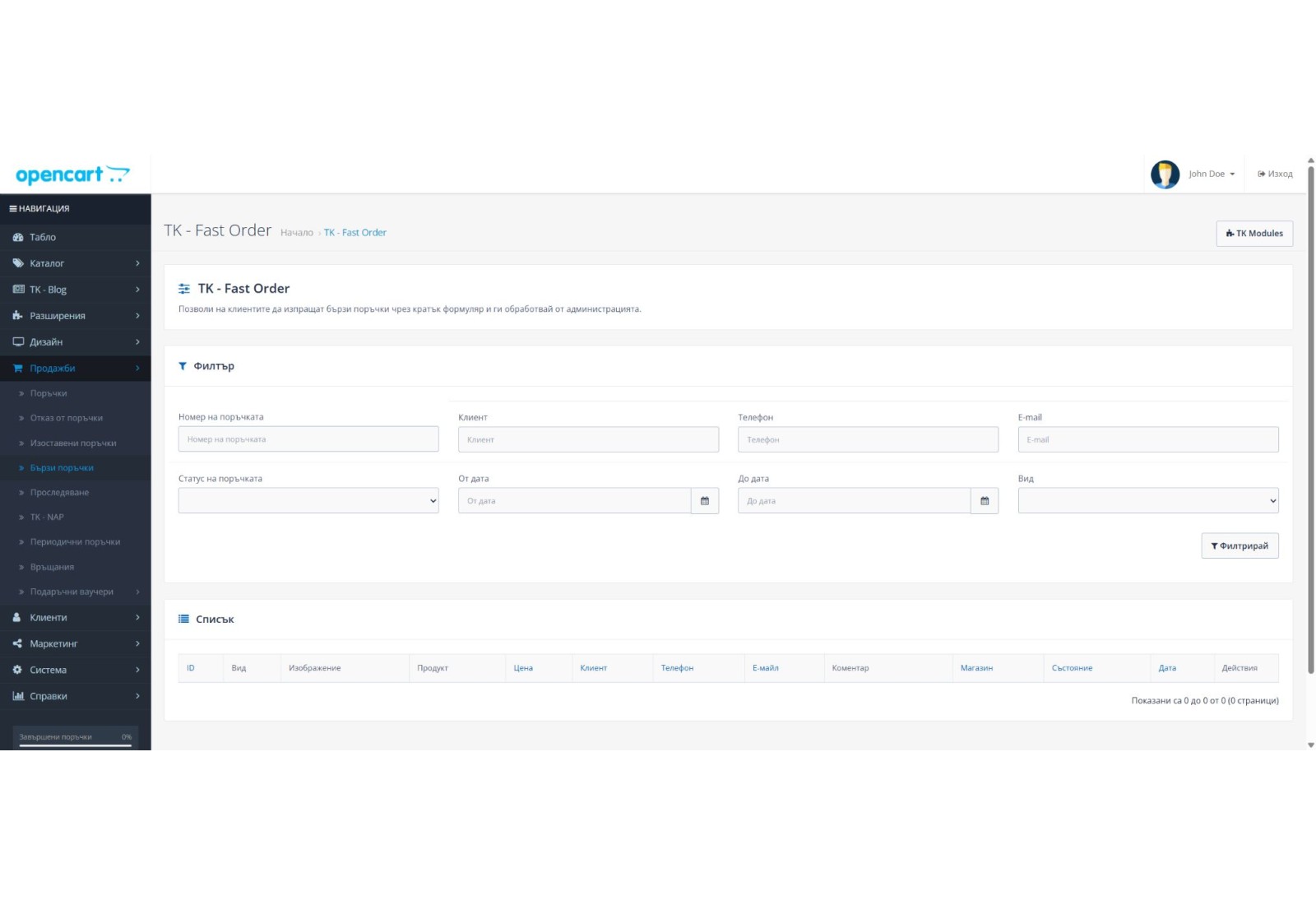
A submission is initially saved as a quick order request. It must be confirmed and completed with the necessary shipping and payment details.
After confirmation, the administrator can transfer the available details to the storefront checkout with one click and complete the order there. The sale is saved as a standard OpenCart order, and the quick order is marked as processed.
This allows configured Facebook and Google tracking code to run when the order is actually completed.
Handling out-of-stock product enquiries
Enquiries about unavailable products are handled separately from orders. The administrator can contact the customer with current information without creating an unconfirmed order in the system.
There is no automatic back-in-stock subscription, so replies and follow-up communication are handled manually.
Conversion tracking
The module supports tracking code triggered when an order is successfully completed:
- Facebook CAPI and Pixel -
Purchase; - Google Analytics -
purchase; - Google Ads -
conversion.
Languages
The quick order module is available in Bulgarian and English. Field labels can be configured separately for each active store language.
Compatibility and safe installation
TK - Fast Order uses standard OpenCart methods, functions and built-in features. Installing the module does not replace existing files.


Installation with TK - Modules
TK - Modules is the free installer for installing and updating my OpenCart extensions. It gives you access to the modules activated for your domain.
- Download and install TK - Modules for your OpenCart version.
- Enter your API token and click Check for modules.
- Select the module you purchased from the list and start the installation.
View TK - Modules and installation instructions
Paid modules include free installation and configuration.
User permissions
In User Groups, grant access and modify permissions for the module's new pages.
Installation and configuration
In the extensions section, find TK Fast Order. Install the module and open its settings.
Enter the activation token provided to you. It is checked through the API and validated for your domain. Once activated, all module settings become available.
Change history
Version 2.1
- Improved Google and Facebook tracking for quick orders.
- More accurate values and checks against duplicate tracking, respecting cookie choices.
- Refreshed the admin panel.
Version 2.0
- added an enquiry form for out-of-stock products;
- automatic selection between quick order and product enquiry based on stock availability;
- enquiries do not create orders or act as automatic back-in-stock notifications;
- support for the listed OpenCart versions.
Version 1.1
- fixed a product options issue;
- added an option to hide the module for out-of-stock products;
- added OpenCart 2.1 support;
- added purchase tracking through Facebook CAPI and Pixel -
fbq("track", "Purchase"); - added Google Analytics tracking -
gtag("event", "purchase"); - added Google Ads conversion tracking -
gtag("event", "conversion").
