

TK - Special Total - cart discounts and surcharges
Apply percentage or fixed discounts and fees in OpenCart based on products, customer group, order total, shipping or payment method.
Cart discounts and fees based on the order.
TK - Special Total </> TKdemo
Password:
demo
What you get
- Percentage adjustments or fixed-value discounts and fees.
- Offers for every second, third or other eligible item.
- Conditions by product, customer group, amount and weight.
- Rules for shipping, payment and date ranges.
Suitable for
Stores offering combined deals, conditional discounts or additional charges.
Before you buy
Negative values reduce the total; positive values add a fee. Review the combination of conditions for each rule.
Final price including VAT
Free installation and configuration included
Domain, subdomains and multistore
One licence covers the domain and all its subdomains. For a multi-store setup, purchase the extension only for the main domain; all other stores receive it free of charge.
Leave a recommendation
What this extension does
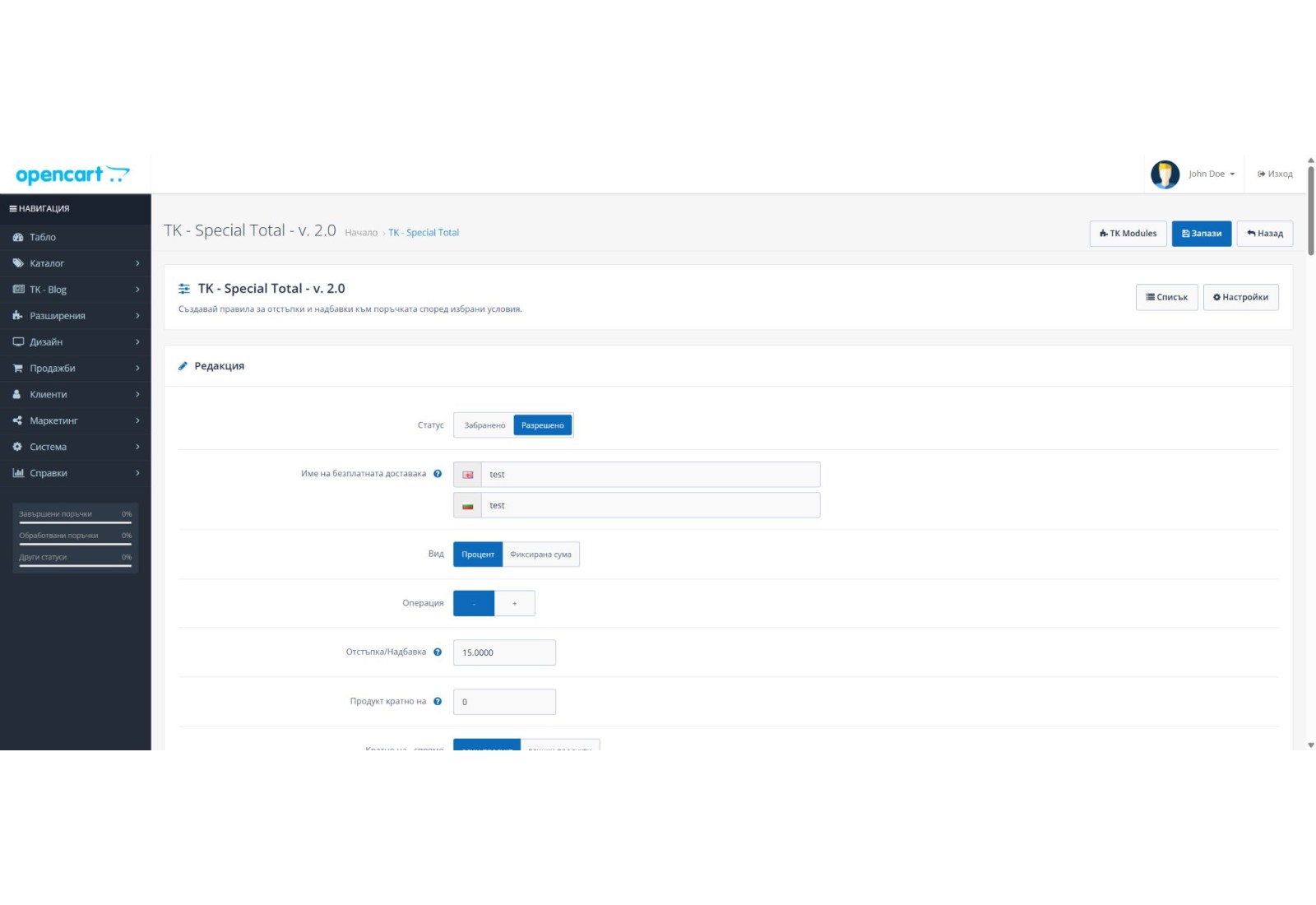
Apply a cart discount or fee based on products, the customer, order value, shipping or payment.
Flexible discounts and surcharges
Each rule can use:
- a percentage of the applicable amount;
- a fixed amount;
- a negative amount for a discount;
- a positive amount for a surcharge.
The module uses the applicable subtotal to calculate the discount or surcharge according to the configured rule.
Discount every second, third or subsequent product
Create promotions such as a discount on every second product. The Multiple of field sets which item in the sequence receives the discount.
For example, 2 applies the discount to every second eligible product; 3 applies it to every third.

Product selection
Each rule can apply to products selected by:
- all products;
- selected category;
- selected manufacturer;
- a combination of category and manufacturer;
- individually selected products;
- selected product options.
Additional conditions
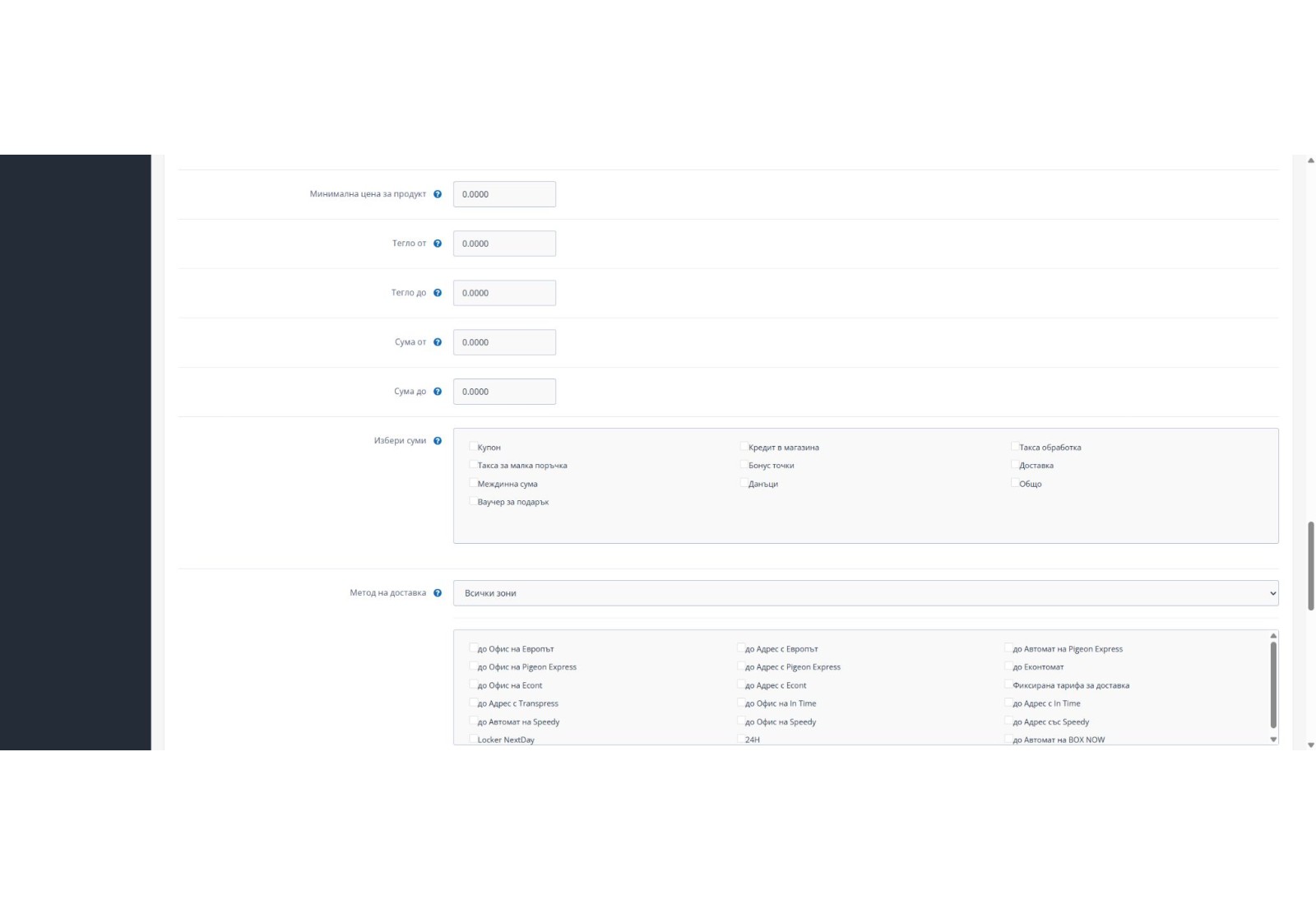
Alongside product criteria, you can set these conditions:
- whether the rule applies to products already on sale;
- whether it applies only to registered customers;
- selected customer group;
- minimum product price;
- minimum or specified cart value;
- total cart weight within a range;
- selected shipping method;
- selected payment method.
Validity period
Set start and end dates for each discount or surcharge to plan temporary promotions and campaigns in advance.
Multiple active rules
Create more than one rule, such as a discount for a category and another for a manufacturer.
If an order meets several active rules, the corresponding amounts can be added to the order total for each matching condition.
Surcharges
You can also use positive amounts, such as a fixed handling fee for a particular payment method.
Managing rules
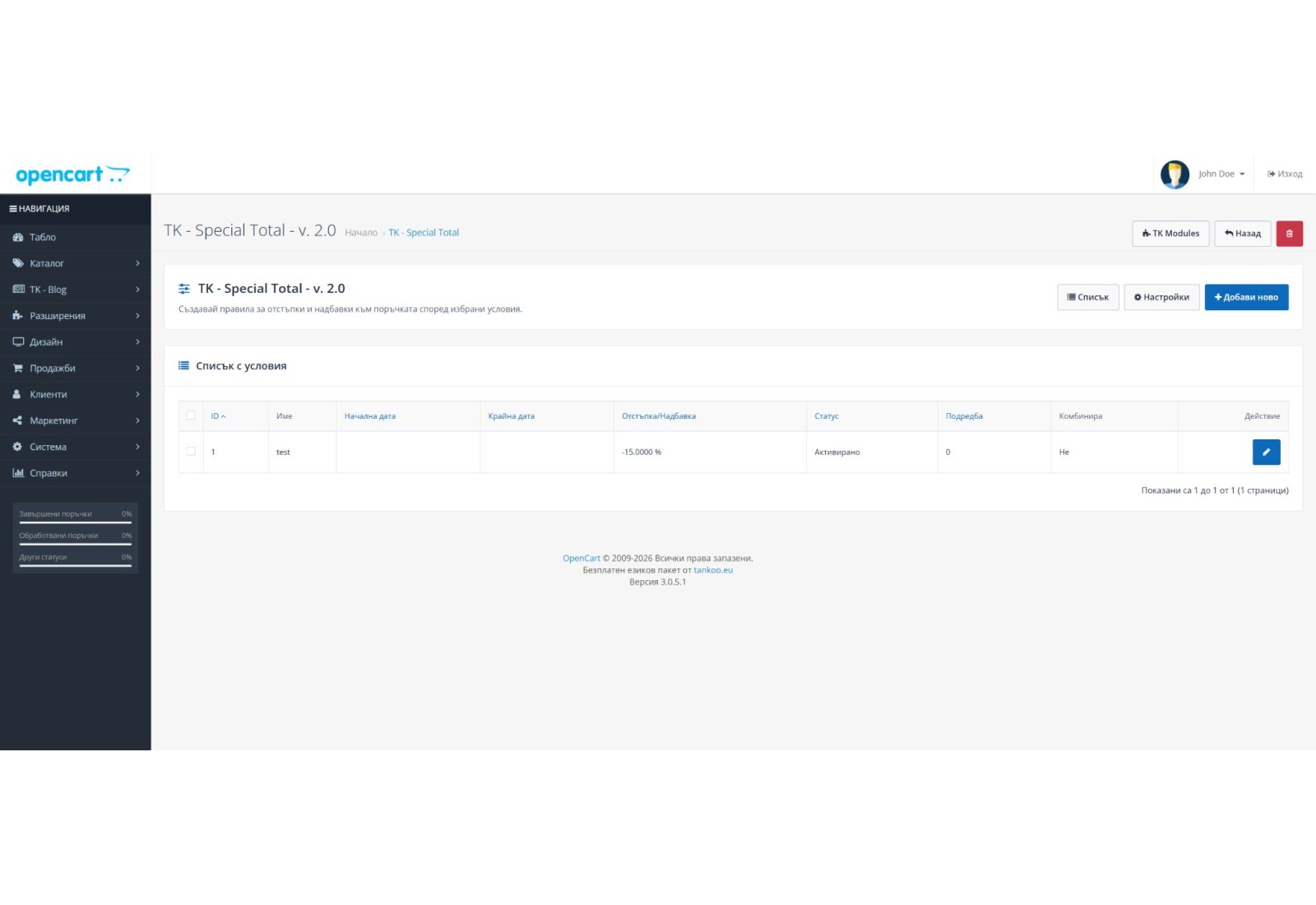
All rules appear in a list where you can edit or delete them.


Installation with TK - Modules
TK - Modules is the free installer for installing and updating my OpenCart extensions. It gives you access to the modules activated for your domain.
- Download and install TK - Modules for your OpenCart version.
- Enter your API token and click Check for modules.
- Select the module you purchased from the list and start the installation.
View TK - Modules and installation instructions
Paid modules include free installation and configuration.
User permissions
In User Groups, grant access and modify permissions for the module's new pages.
Installation and activation
In the extensions section, find TK Special Total. Install the module and open its settings.
Enter the activation token provided to you. It is checked through the API and validated for your domain.
Enabling the order total extension
To calculate and display your discounts and surcharges in the cart, also enable the module under Order Totals in the extension list.
After enabling it, create your rules and place a test order to check the conditions and calculated amounts.
Change history
Version 2.1
- Refreshed the admin panel for easier management of additional charges and discounts.
Version 1.0
- percentage and fixed discounts;
- positive amounts for surcharges;
- selection of products, categories, manufacturers and options;
- conditions based on customer, cart, shipping and payment;
- start and end dates for rules;
- support for multiple active rules.
