

TK - Blog — blog for OpenCart
Blog module for OpenCart with articles, categories, comments and related products. Manage content and SEO settings from the admin panel.
Publish useful content directly in your store.
TK - Blog </> TKdemo
Password:
demo
What you get
- Posts and categories with images and multilingual descriptions.
- SEO URLs, meta titles and meta descriptions.
- Related products and posts for each article.
- Comment moderation and guest settings.
- A posts widget and a dedicated XML sitemap.
Suitable for
Stores publishing advice, news and product guides that want to manage their content in one place.
Before you buy
You provide the content and SEO URLs. TK Modules is required for activation.
Final price including VAT
Free installation and configuration included
Domain, subdomains and multistore
One licence covers the domain and all its subdomains. For a multi-store setup, purchase the extension only for the main domain; all other stores receive it free of charge.
Leave a recommendation
What this extension does
Organise articles into categories, link them to products and manage comments from the admin panel. TK - Blog adds a blog to your store without a separate website for your posts.
Posts and categories
Create articles with a title, short and full description, image and publication date. Organise them into categories and add related products and posts.
Comments
Choose whether to allow comments, including guest comments, and whether they need approval. Manage comments in a dedicated admin list.
URLs and display
Set SEO URLs and metadata for each language. Configure post limits and image sizes for lists and the widget. The blog has its own XML sitemap.
Features
- Posts and categories with images and multilingual descriptions.
- SEO URLs, meta titles and meta descriptions.
- Related products and posts for each article.
- Comment moderation and guest settings.
- A posts widget and a dedicated XML sitemap.
Compatibility
OpenCart 3.0.
Installation with TK - Modules
TK - Modules is the free installer for installing and updating my OpenCart extensions. It gives you access to the modules activated for your domain.
- Download and install TK - Modules for your OpenCart version.
- Enter your API token and click Check for modules.
- Select the module you purchased from the list and start the installation.
View TK - Modules and installation instructions
Paid modules include free installation and configuration.
User permissions
In User Groups, grant access and modify permissions for the module's new pages.
Installation and configuration
In the extensions section, find TK - Blog. Install the module and open its settings.
Enter the activation token provided to you. It is checked through the API and validated for your domain. Once activated, the module settings become available.
TK - Blog settings
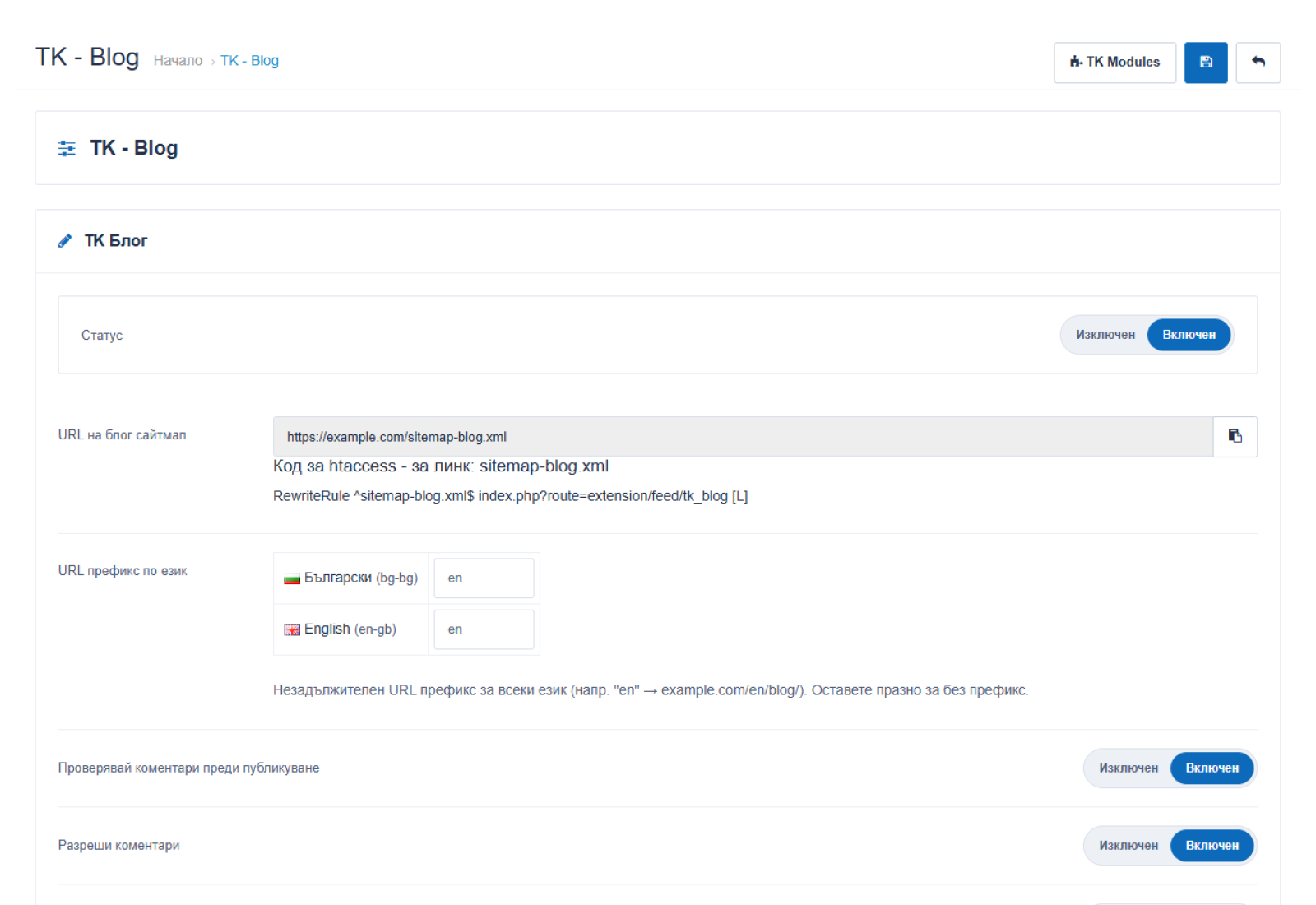
Enable the module and configure the main blog page and comments. Add categories and your first posts, enter SEO URLs and check the links in your store.
Change history
Version 1.1
- Added structured data for articles and categories to help search engines understand the content.
- Improved compatibility with TK Microdata and refreshed the admin panel.
Version 1.0
- Posts and categories with images and multilingual descriptions.
- SEO URLs, meta titles and meta descriptions.
- Related products and posts for each article.
- Comment moderation and guest settings.
- A posts widget and a dedicated XML sitemap.
