

TK - Mails — email templates for OpenCart
Edit OpenCart email templates for orders, status updates, registration and other notifications. Configure content by language and order status.
Keep your store emails consistent.
TK - Mails </> TKdemo
Password:
demo
What you get
- Notifications for orders and status changes.
- Editable templates for each language.
- Registration and forgotten password emails.
- Settings for transactions, returns and reward points.
- Optional Cron delivery for new order emails.
Suitable for
Stores that want to edit system emails in the admin panel and control which notifications are sent.
Before you buy
Working OpenCart mail settings are required. If you enable Cron delivery, you also need to configure the hosting task. TK Modules is required for activation.
Final price including VAT
Free installation and configuration included
Domain, subdomains and multistore
One licence covers the domain and all its subdomains. For a multi-store setup, purchase the extension only for the main domain; all other stores receive it free of charge.
Leave a recommendation
What this extension does
Edit order and customer notifications from the admin panel. TK - Mails brings settings and templates together by language and order status so you can maintain the content of your store emails.
Notifications
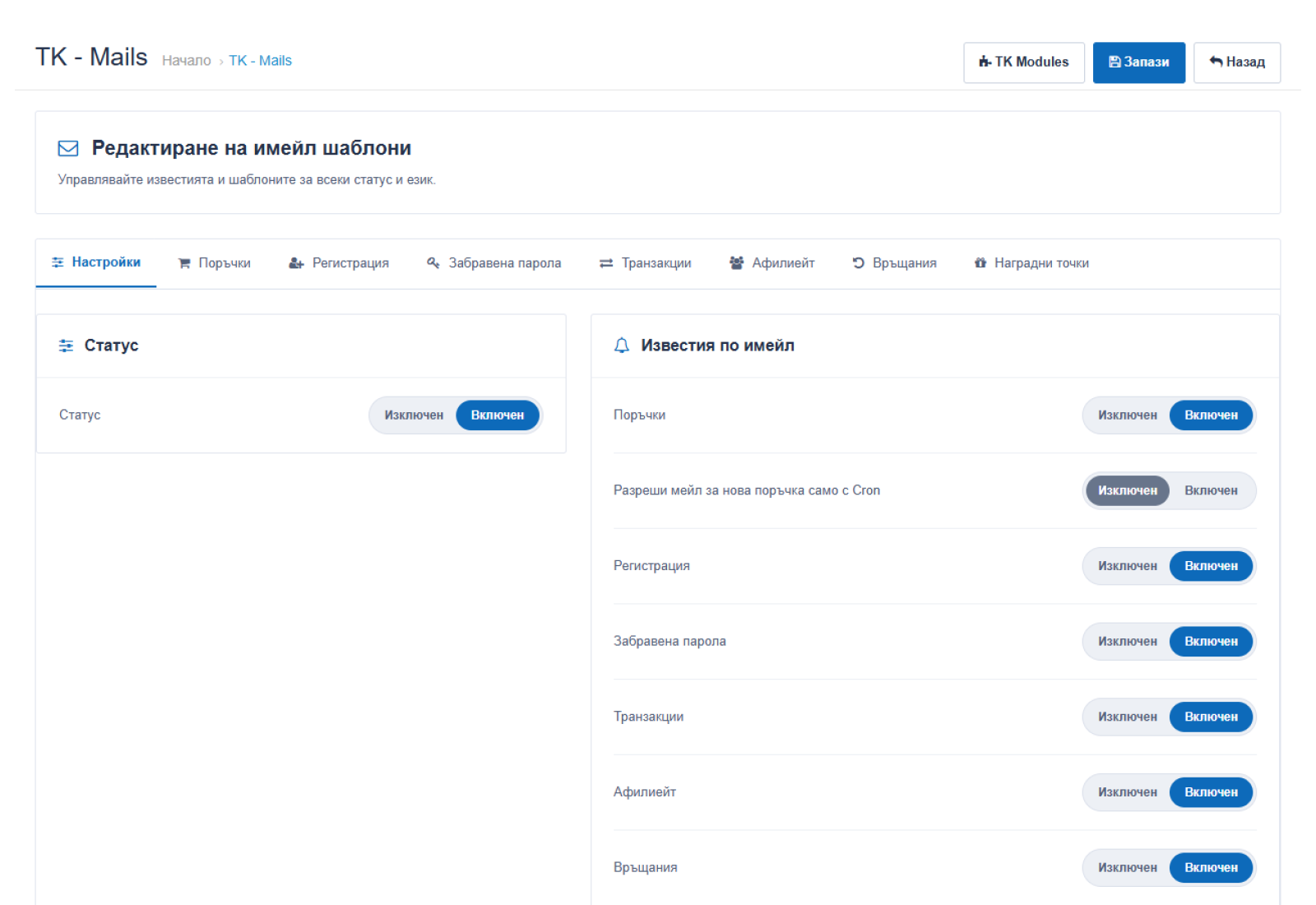
Enable or disable individual email types: orders, registration, forgotten passwords, transactions, affiliates, returns and reward points.
Content by language and status
Edit templates using the available order and store placeholders. Configure content for each language and order status.
Delivery
Use the store mail settings. New order emails can optionally be sent through Cron. A diagnostic log setting is also available.
Features
- Notifications for orders and status changes.
- Editable templates for each language.
- Registration and forgotten password emails.
- Settings for transactions, returns and reward points.
- Optional Cron delivery for new order emails.
Compatibility
OpenCart 3.0.
Installation with TK - Modules
TK - Modules is the free installer for installing and updating my OpenCart extensions. It gives you access to the modules activated for your domain.
- Download and install TK - Modules for your OpenCart version.
- Enter your API token and click Check for modules.
- Select the module you purchased from the list and start the installation.
View TK - Modules and installation instructions
Paid modules include free installation and configuration.
User permissions
In User Groups, grant access and modify permissions for the module's new pages.
Installation and configuration
In the extensions section, find TK - Mails. Install the module and open its settings.
Enter the activation token provided to you. It is checked through the API and validated for your domain. Once activated, the module settings become available.
TK - Mails settings
Enable the module and choose the notifications you need. Review templates for each language and status, check mail settings and place a test order. Configure Cron only if you use that option.
Change history
Version 2.1
- Added management of custom customer email templates.
- Settings for order and status notifications, registration emails and other store events.
Version 2.0
- Notifications for orders and status changes.
- Editable templates for each language.
- Registration and forgotten password emails.
- Settings for transactions, returns and reward points.
- Optional Cron delivery for new order emails.
